What's changed at the border: visa-free, passport and TDAC
Back in the day, flight attendants handed out paper immigration forms on the plane – and everyone frantically looked for a pen, tried to remember their hotel address, and cursed the tiny font. Not anymore. Thailand has been working with electronic documents for years, and since last year, the digital TDAC arrival card (Thailand Digital Arrival Card) has become the standard. It replaced the old paper forms, and all foreigners entering under the visa-free scheme are required to fill it out.
Visa-free regime and documents
Russian citizens can enter Thailand visa-free for 30 days (with the possibility of extending for another 30 days once inside the country). But keep in mind: authorities periodically adjust the rules for different countries, so before departure, be sure to check the Thai embassy website – so there are no surprises. For more details on all the visa nuances, read our article «Visa and Visa-Free Entry to Thailand» – it has regularly updated information.
Additionally, at the border you must have:
- A passport valid for at least 6 months from the date of entry.
- A return ticket (or a ticket to a third country) within the permitted stay period. It's checked randomly, but airlines strictly require it at check-in – without it, they may refuse boarding.
- And of course, the TDAC we're about to discuss.
TDAC – digital arrival card
TDAC is an electronic form where you enter your passport details, flight information, your address in Thailand, and a phone number. After submitting, you receive a QR code – you'll need to show it at passport control (either from your phone screen or on a printed sheet).
You can fill it out in two ways: via the official website tdac.immigration.go.th or through the THIM mobile app. Both options are free and feed into the same database. But which one to choose – let's figure it out. For a step-by-step guide with pictures, we have a separate article: «How to Fill Out the Thailand Immigration Card (TDAC) in 2026: Step-by-Step Guide for Tourists».
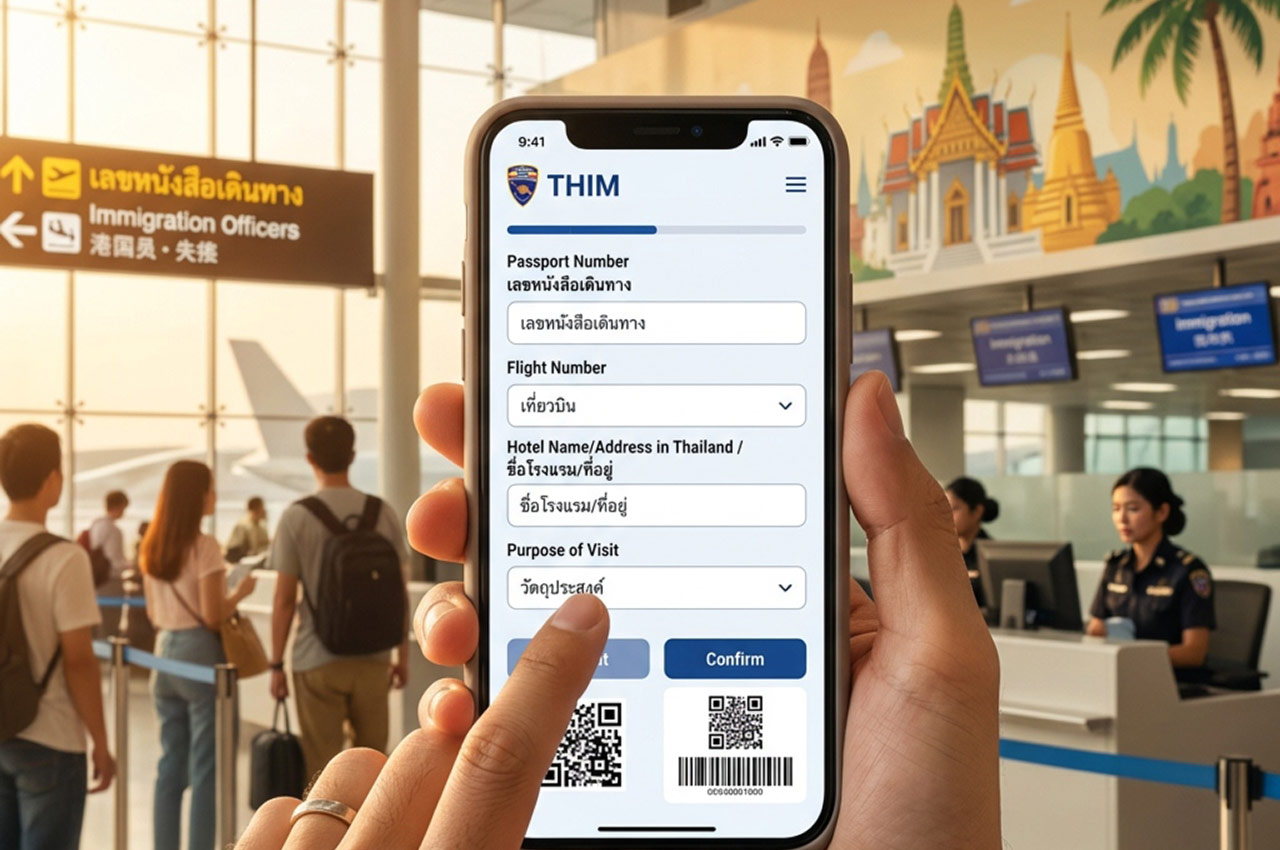
THIM – the entry app: do you really need it
THIM (Thailand Immigration Management) is the official app of the Thai immigration service. Its main purpose is to simplify filling out TDAC. Essentially, it's the same web form but packaged in a mobile wrapper with some extra perks.
What THIM can do
The developers tried to make the process as user-friendly as possible:
- Passport scanner – the app reads data from the photo page, so you don't have to type numbers manually. It's not perfect, but it recognizes most fields.
- Group entry – you can add up to 10 people to one form. Handy if you're traveling with family or a group.
- Profile saving – if you fly to Thailand often, your data stays in memory. Next time, you'll only need to enter the flight number.
- Future plans – authorities promise to turn THIM into a "super-app": you'll be able to extend visas, order documents, and even chat with tourist police 24/7. For now, it's just promises, but it sounds promising.
Sounds great, right? But there's a catch. For a one-time trip, these benefits aren't that critical, and the app takes up phone storage (about 100 MB). And most importantly – installing the app is not mandatory. Only the TDAC form itself is required.
Website vs app – which is more convenient
We compared both methods across key parameters and put them in a table. See for yourself – the choice is obvious.
| Criteria | Official website tdac.immigration.go.th | THIM app |
|---|---|---|
| Mandatory | No (it's just a way to fill it out) | No |
| Fill out on a computer | ✔ (convenient if you have a laptop handy) | ✘ (phone only) |
| Group entry | ✔ (can add multiple people) | ✔ (up to 10 people) |
| Data saving | ✔ (cookies and account not required, but reusable) | ✔ (profile is permanently saved) |
| Passport scanner | ✘ | ✔ |
| Takes up phone storage | 0 MB | ~100 MB |
| Convenience for one-time trips | ✔ (great) | ✔✔ (overkill) |
| Convenience for frequent trips | ✔ (but you have to re-enter data) | ✔✔ (saves time) |
Our verdict: if you fly to Thailand once a year or less – use the website. It works without glitches, requires no installation, and takes up zero storage space. If you're a winter resident or travel there for work – THIM really does simplify things.
Fill out TDAC no earlier than 3 days before departure and no later than 2 hours before – the system has time limits. You can save the QR code as a screenshot or print it out, but immigration usually accepts it from the screen as well.
5 apps that will actually come in handy in Thailand
Now that we've sorted out the official formalities, let's talk about what really makes life easier at the resort. Without these apps, you'll feel like you're without a compass in the jungle.
Transport: Grab, Bolt, InDrive, Maxim
Thai taxi drivers love to haggle and turn on the meter "depending on their mood." To avoid overpaying, install several apps: Grab (the most popular, also delivers food), Bolt (often cheaper), InDrive (where you can offer your own price and haggle), and Maxim – it also works in major cities and resorts, sometimes offering the lowest rates. All of them fix the price in the app – no surprises.
Communication: Line – the Thai WhatsApp
In Thailand, Line isn't just a messenger – it's a whole ecosystem. All local businesses – from bike rentals to tours and laundries – communicate through Line. Download it before your trip, and you won't have to painfully explain yourself in English over the phone.
Maps and translation: Google Maps and Translate
Google Maps in Asia even shows ferry schedules and local paths. Google Translate – be sure to download the offline Thai language pack. The camera translation feature will save you at restaurant menus and when reading signs.
Offline navigation: Organic Maps and MAPS.ME
If you love walking or exploring non-touristy places, install Organic Maps or MAPS.ME. They're detailed down to the trail level and work without internet (download the region map in advance). For motorbike or car trips, it's better to use Google Maps – it has more accurate road routes.
Everyday life and shopping: 7-Eleven TH and Foodpanda
The 7-Eleven TH app shows current discounts at the country's main stores – there are often sales on water, snacks, and even cosmetics. Foodpanda is a food delivery service that'll save you when you're too lazy to leave your hotel or villa.
Bottom line: what to download before departure
So, packing your suitcase and phone. Here's your minimum set for a comfortable trip:
- For entry – not an app, but a link to the official TDAC website (open it in advance and save it to your browser bookmarks).
- For communication – Line (mandatory).
- For getting around – Grab, Bolt, InDrive or Maxim (at least one of them).
- For navigation – Google Maps and offline maps.
- For translation – Google Translate with the Thai language pack.
- For savings – 7-Eleven TH and Foodpanda (optional).
And THIM? As we said, for a regular vacation, you don't need it. Save that storage space for photos and new experiences – Thailand will give you plenty.
In 2026, entry has become simpler and faster. The main thing is not to panic and fill out the form in advance. Then at the border, you'll only be greeted with smiles (and a bit of heat).
Want more practical tips for traveling to Thailand? Read our complete guide to the country – everything you need to know about resorts, prices, and Thai hacks.